NeedAITool — AI Tools Directory
Ollama logo
2026 Procurement Guide

Top 3 Best Ollama Alternatives & Competitors in 2026

Ollama is the simplest way to run local LLMs on macOS and Linux, but its single-stream architecture creates massive throughput bottlenecks in production, prompting teams to adopt vLLM and SGLang.

Verified Technical BenchmarksUpdated September 2026Category: large-language-models

2026 Decision Framework: Should You Switch from Ollama?

Factual procurement guidance based on verified technical trade-offs and pricing models.

Stay with Ollama if:

Stay with Ollama for local prototyping, single-user laptop inference, and rapid experimentation with new GGUF models via simple CLI commands.

Switch to an alternative if:

Switch to vLLM or SGLang if you need continuous batching, PagedAttention, and high concurrent request throughput for production API endpoints.

Enterprise & Teams Path

Deploy vLLM on Kubernetes with GPU pooling to handle hundreds of concurrent enterprise users with optimal token generation speeds.

Solo & Freelance Path

Pair Ollama with Open WebUI or LM Studio for a polished, local ChatGPT-style interface on your desktop with zero cloud telemetry.

Feature & Specification Comparison Matrix

Side-by-side technical capabilities, licensing, and pricing models.

Scroll horizontally for full matrix →
Specification / Tool
OllamaCurrent
4.8 / 5.0
4.7 / 5.0
4.7 / 5.0
4.9 / 5.0
Pricing Modelfree

Completely free and open source

freemium

Free with limited completions

freemium

Free tier with Claude 3 Haiku

freemium

100% Free for personal use and developer experimentation

Free Tier Available Yes Yes Yes Yes
Developer API Access Yes No Yes Yes
Open Source / Self-Hostable Yes No No No
Works Offline / Local Yes No No Yes
No Signup Required Yes No No Yes
Multimodal Support No No Yes Yes
Code Execution No Yes Yes No
Supported Platformsdesktop, apidesktop, apiweb, ios, android, apimac, windows, linux, local-desktop
ActionView Profile View Profile View Profile View Profile

In-Depth Alternatives Breakdown

Ranked analysis of each replacement option, key strengths, limitations, and direct comparisons.

#1
Cursor Verifiedfreemium

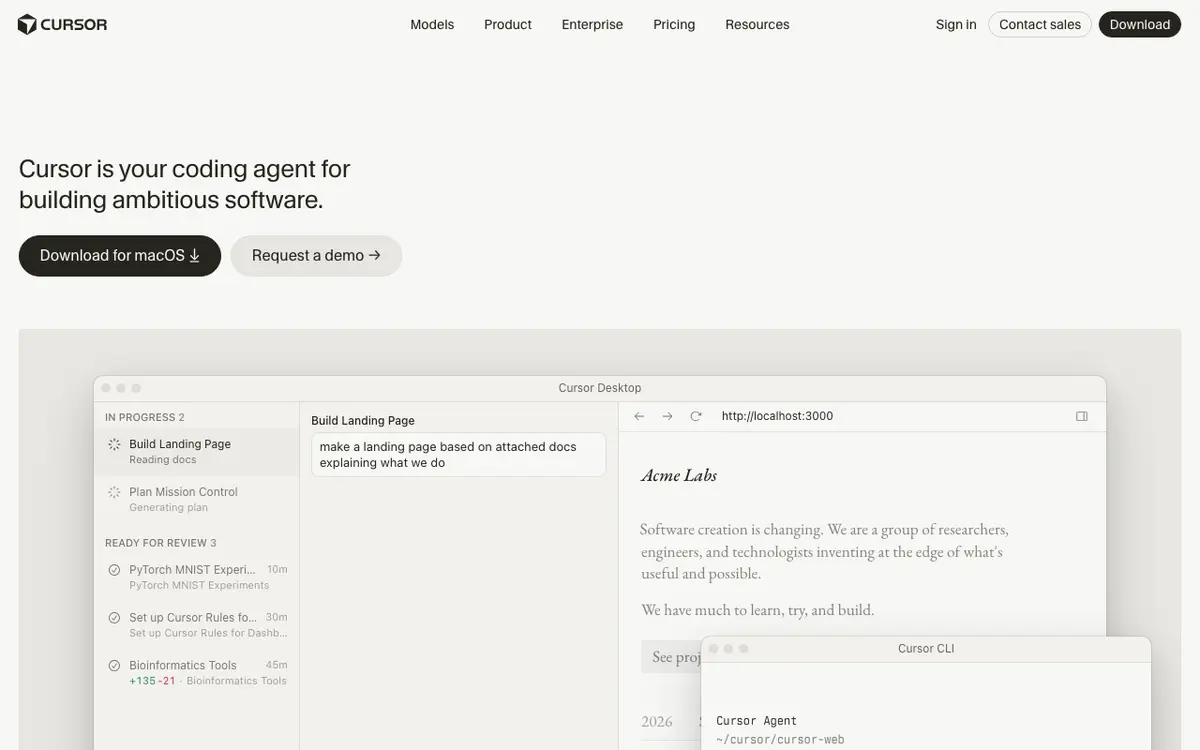
The AI code editor that knows your whole codebase

4.7 / 5.0
Cursor interface screenshot

An AI-first code editor built on VS Code that understands your entire codebase for smarter completions and chat.

Why Choose Cursor
  • Full codebase context awareness
  • Works with GPT-4 and Claude
  • Fastest AI coding workflow
Considerations & Limitations
  • Desktop only
  • No collaboration features yet
#2
Claude Verifiedfreemium

The AI built for safety, depth, and long documents

4.7 / 5.0
Claude interface screenshot

An AI assistant focused on safety, deep reasoning, and long-form document understanding with a massive context window.

Why Choose Claude
  • Best-in-class long document understanding
  • Very safe and honest outputs
  • Excellent writing quality
Considerations & Limitations
  • No image generation
  • Fewer integrations than ChatGPT
#3
LM Studio Verifiedfreemium

Discover, download, and run local LLMs on your Mac, Windows, or Linux machine completely offline.

4.9 / 5.0
LM Studio interface screenshot

LM Studio is the premier desktop application for discovering, downloading, and running large language models locally on your personal computer. With a polished visual interface, LM Studio makes running models like Llama 3.3, DeepSeek-R1, Mistral, and Qwen as simple as a single click, keeping all personal conversations, code, and documents 100% private and offline on your hardware. Whether running on Apple Silicon with unified memory or dedicated Nvidia/AMD GPUs, LM Studio automatically configures optimal hardware acceleration (Metal, CUDA, ROCm, Vulkan) for smooth, high-speed local inference.

Why Choose LM Studio
  • Zero-configuration setup on Mac (Metal) and Windows/Linux (CUDA/Vulkan)
  • Integrated Hugging Face search to download GGUF models directly within the app
  • Local OpenAI-compatible API server powers Cursor and local AI workflows
  • 100% private and offline—zero data leaves your local machine
Considerations & Limitations
  • Inference speed is bounded by your local hardware VRAM and RAM bandwidth
  • Core desktop application is proprietary (freeware for personal use)

Frequently Asked Questions

Common technical and pricing questions when switching from Ollama.

Why is Ollama slow for multiple users?

Ollama processes requests sequentially by default and does not feature advanced continuous batching, making it ill-suited for multi-user production servers.

What is the fastest local LLM server in 2026?

vLLM and SGLang are the industry standards for high-throughput local model serving, utilizing PagedAttention to maximize GPU utilization.

Can Ollama run DeepSeek and Llama models?

Yes, Ollama supports all modern open-weight architectures including Llama 3.3, DeepSeek-V3, Qwen 2.5, and Mistral with single-line terminal commands.

Related Technical Guides & Showdowns

Explore More large-language-models Tools

Browse our complete verified directory of 7,900+ tools.